
How to enroll in Medicare as a physical therapist
•5 min read

Getting started
Physical therapists can't opt out of Medicare, so seeing Medicare patients means enrolling. It's one online application in PECOS, Medicare's enrollment site. Approval gives you a Medicare ID, and Medicare pays for your visits from then on. Have these ready:
- An active physical therapy license in the state where you see patients
- A Type 1 National Provider Identifier (NPI)
- Where you see patients: each clinic address, or the areas you cover for home visits
- A bank account for Medicare payments
Create a PECOS login
PECOS uses the same login as NPPES, the site where NPIs come from. It's called an Identity & Access account, and getting your NPI online usually means you already have one. Sign in to PECOS and start a new application.
Choose to bill Medicare on your own or through a group
This is the main decision in the application:
- On your own: Medicare pays your practice directly, and your practice sends every claim.
- Through a group: the group sends the claims and Medicare pays the group, which then pays you. Medicare calls this “reassigning your benefits” to the group.
Fill out the application
PECOS walks through the application one page at a time:
- About you: legal name, date of birth, Social Security number, PT school and license
- Specialty: Physical Therapist in Private Practice
- Where you see patients: each clinic, or the areas you cover for home visits
- Medicare rates: whether you accept Medicare's rate as payment in full
- Reassignment: whether you bill through a group
- Addresses: where mail goes, and where patient records are kept
- Background: any past legal actions, any co-owners, and any billing company you use
- A contact person for Medicare's questions
Reassignment
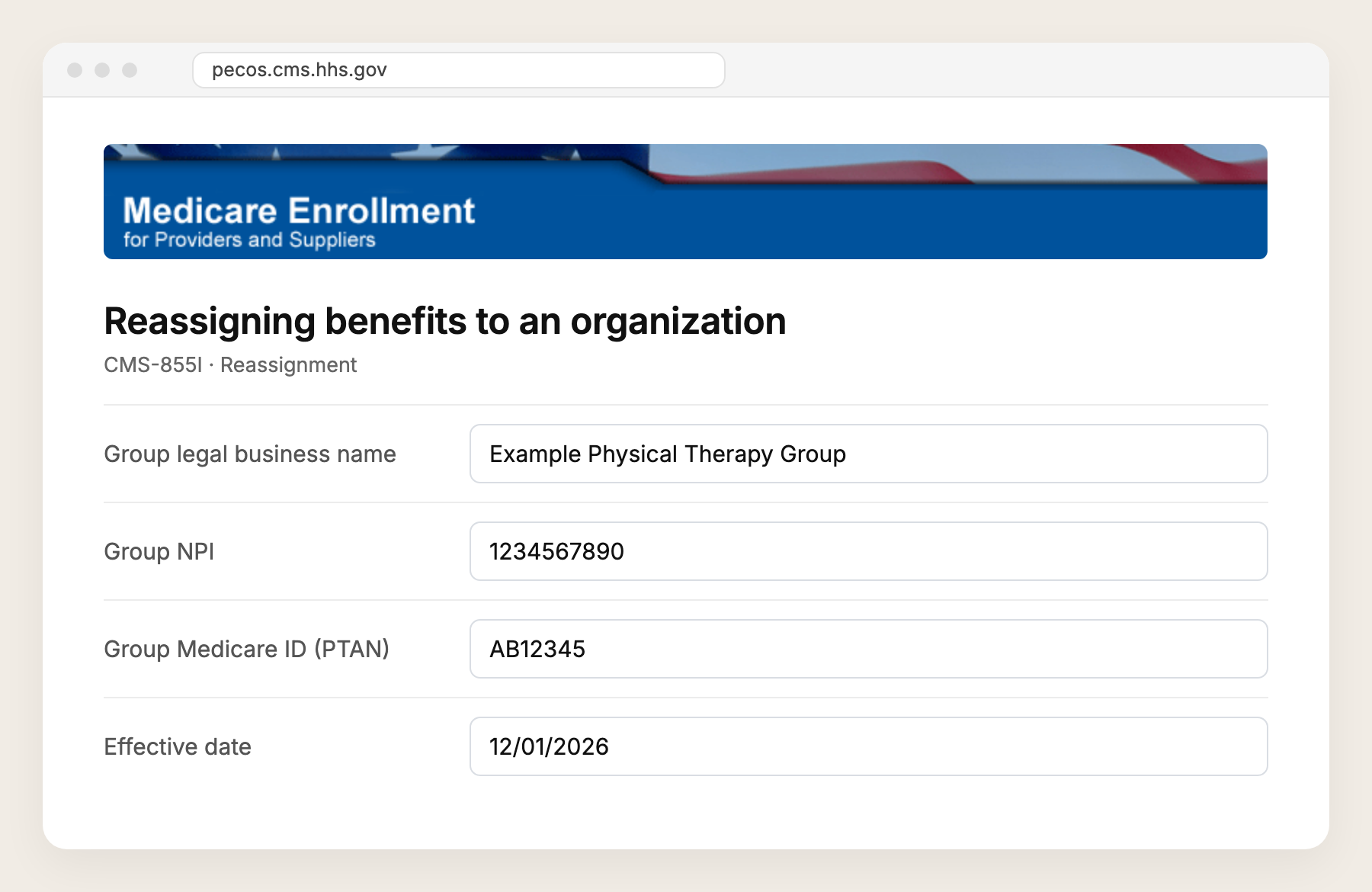
Reassignment lets you bill through a group. It's one page in the application: the group's name, NPI and Medicare ID, and the date to start. Medicare then pays the group for your visits, and the enrollment itself stays in your name.
Set up direct deposit
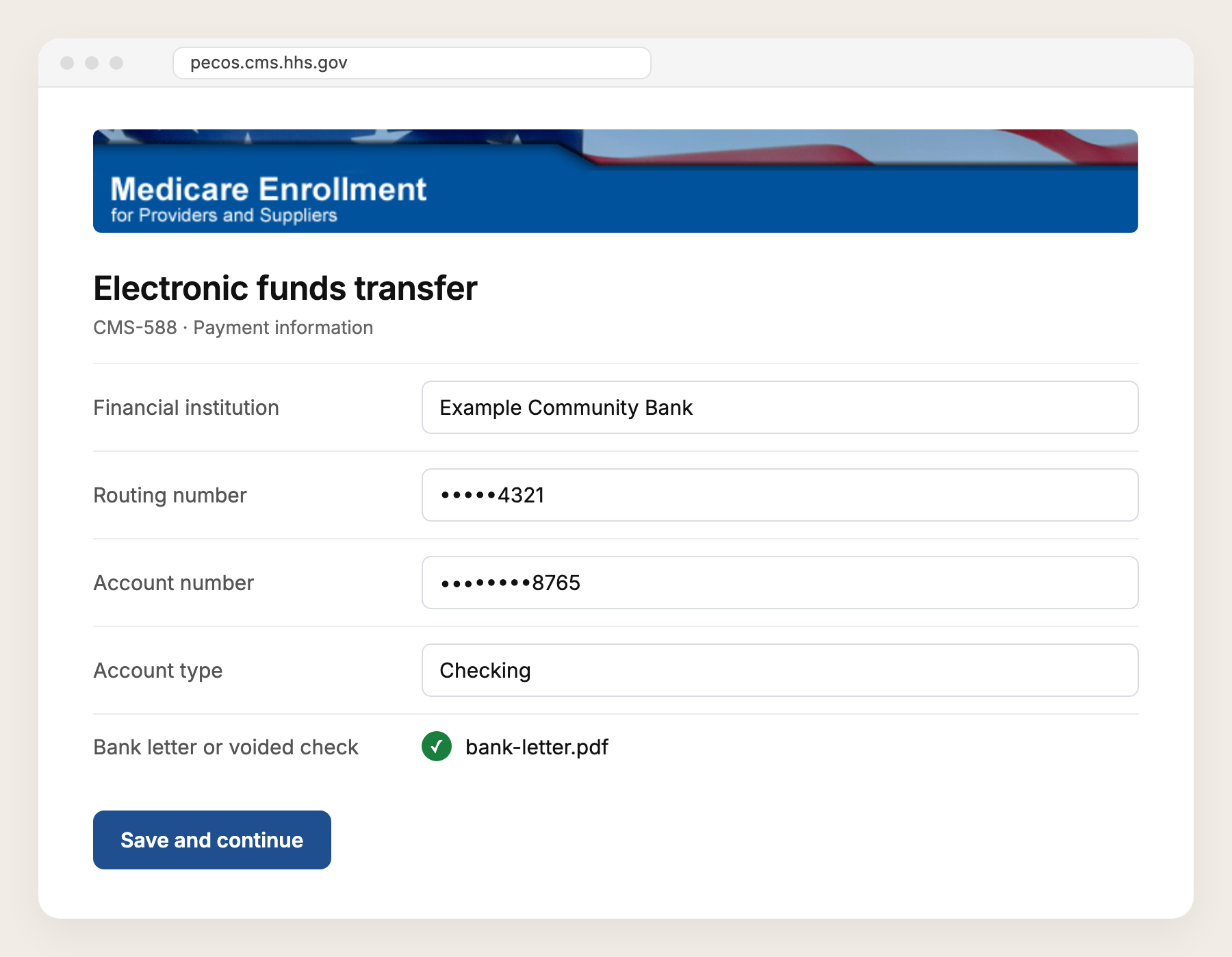
Medicare pays only by direct deposit. Add your bank details and upload a letter from your bank confirming the account. A voided check also works. Billing through a group means Medicare pays the group's account instead.
Upload documents and submit
PECOS lists what to upload based on your answers. Usually that's the bank letter, a business license, and a lease for any clinic. Then sign and submit.
Answer Medicare's questions
The Medicare contractor for your state reviews the application, usually in a few weeks. It often sends a question or asks for one more document along the way. Answer quickly to keep the application open. Unanswered requests close it, and the application starts over.
Prepare for the site visit
A site visit can come with a new enrollment, a new practice location or a revalidation. An inspector comes to confirm the information on the application, usually unannounced and during normal business hours. The inspector may:
- Check the address and phone number on the application
- Look at the signage
- Confirm the practice is open and operating, and speak with staff
- Take photos of the location
See patients now, bill after approval
Treatment can start the day the application goes in. Billing waits for approval, which comes with your Medicare ID, called a PTAN. Approval covers every visit back to the day you applied, plus up to 30 days before it.

Who reviews it in each state
| Medicare contractor | States |
|---|---|
| CGS | Kentucky, Ohio |
| First Coast Service Options | Florida, Puerto Rico, U.S. Virgin Islands |
| National Government Services | Connecticut, Illinois, Maine, Massachusetts, Minnesota, New Hampshire, New York, Rhode Island, Vermont, Wisconsin |
| Noridian Healthcare Solutions | Alaska, Arizona, California, Hawaii, Idaho, Montana, Nevada, North Dakota, Oregon, South Dakota, Utah, Washington, Wyoming, U.S. Pacific territories |
| Novitas Solutions | Arkansas, Colorado, Delaware, District of Columbia, Louisiana, Maryland, Mississippi, New Jersey, New Mexico, Oklahoma, Pennsylvania, Texas |
| Palmetto GBA | Alabama, Georgia, North Carolina, South Carolina, Tennessee, Virginia, West Virginia |
| WPS Government Health Administrators | Indiana, Iowa, Kansas, Michigan, Missouri, Nebraska |
Medicare enrollment checklist
| Step | Where | Notes |
|---|---|---|
| PECOS login | Identity & Access (I&A) | The same login as NPPES. |
| The application | PECOS | Specialty: Physical Therapist in Private Practice. |
| Where you see patients | The application | Each clinic address, or the areas you cover for home visits. |
| Reassignment | The application | Lets you bill through a group. |
| Direct deposit | The application | Bank details and a letter from the bank. |
| Medicare's questions | Email or mail | Answer quickly to keep the application open. |
| Site visit | Each clinic | Usually unannounced. Signage up, phone working, open during your listed hours. |
| Approval | Letter from Medicare | Bill every visit since you applied, plus up to 30 days before. |
How HealthSpark helps
You bring the patients, we do the rest:
Insurance credentialing
- One applicationCredentialing handled end to end
- Medicare and Medicare AdvantagePlus Medicare supplement plans
- Commercial plansAetna, Anthem, Blue Shield, Cigna, and more

“Having a team supporting me with credentialing and billing has allowed me to spend less time worrying about the business side of things and more time focusing on my patients and growing my practice.”

Read next
How to start in-network billing as a physical therapist
Frequently asked questions
Can a physical therapist opt out of Medicare?
What does reassigning Medicare benefits mean?
How long does Medicare enrollment take?
Can a physical therapist see Medicare patients before enrollment is approved?
Run your practice with HealthSpark
We get you credentialed, bill your visits, and handle the admin.
Join as a provider